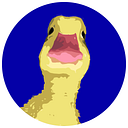
How to add the Duckereum logo on MetaMask — Step by step (mobile version)

GM Duckers.
Perhaps you would like to add the Duckereum logo to your MetaMask? It’s nicer than the default image, right? It’s very simple and will take you 2 minutes. Follow the step by step guide below.
1/ Launch MetaMask and open the sidebar
Just tap the “Menu” logo at the top left.

2/ Launch the browser
Tap the “Browser” link on the sidebar.

3/ Open the Duckereum page on CoinMarketCap
Now you have to go to the Duckereum page on CoinMarketCap. It’s very simple, just type “coinmarketcap duckereum” in the search field.

4/ And tap the right link
Make sure you are joining the real CoinMarketCap website. It should be at the top of the search results.

5/ Find the contract
Scroll down a bit to find the contract area. The MetaMask logo is on the right.

6/ Tap the MetaMask logo
It may be necessary to make two taps at this stage. Tap the MetaMask logo until the next screen (step 7) appears. If an error occurs in this step, exit the MetaMask application, restart it, and repeat the previous steps.

7/ Tap “Add token”
Once you tap the MetaMask logo, a small screen should appear at the bottom offering you to add the token. Tap “Add token”. If this screen does not appear, exit MetaMask and try again.

You’re done.
That’s it. You can go back to the main screen of your wallet and you should see the Duckereum logo.

If any of these steps didn’t work for you, close MetaMask and try again. The tutorial was done on iPhone and the screens may be slightly different on Android.
Thanks for reading!
Duckerberg.